
Streamlined security
Same Gatekeeper checks Apple performs, without the "are you sure?" trips to System Settings. Verified apps just open. Unsigned apps have a prompt which can be disabled in Settings.
When you click a DMG, it should just install. Not make you drag little icons around,
ask if you're actually-totally-super-sure, or leave mounted volumes and old installers around.
Make EasyDMG your default DMG handler and then forget it exists.
Free ✨️ Signed & Notarized ✨️ Swift for macOS 13+
EasyDMG was made to simply replace the super lame DiskImageMounter. But it's got some other perks:
Same Gatekeeper checks Apple performs, without the "are you sure?" trips to System Settings. Verified apps just open. Unsigned apps have a prompt which can be disabled in Settings.
Not a background app. Runs for the few seconds an install takes, then quits. No icons, no daemons.
License agreements, multi-app DMGs, pkg installers — when in doubt, EasyDMG mounts the image and hands the wheel back to you.
Hamster progress bar, a quick notification, or silence — your call. Other settings: open the app or reveal in Finder; trash DMG after install.
Made for macOS 13+. No Electron, no web view, no 250 MB install footprint, and no RAM hogging.
Sparkle politely prompts you when a new version is ready. No manual re-download, no checking back here.

You know the routine. Download a DMG, double-click, wait, drag the
icon onto the Applications folder, wait, eject the disk image, open Finder and locate the app,
back to the Downloads folder to trash the DMG.
Why, Apple? Why so many steps?
To fix this lackluster design decision, I had to summon an ancient wizard. I wasn't expecting a hamster, but he's cute.
Set up takes two seconds (seriously, I counted). After that you're just double-clicking DMGs like you always have, and the Wizard handles all this crap for you.
Open EasyDMG, click "Set as Default for DMG Files", and macOS will hand every DMG to EasyDMG from now on instead of DiskImageMounter.
EasyDMG mounts the disk image, runs a quick security check, copies the app into
/Applications, and opens your new app. Or set it to open in Finder.
The disk image unmounts on its own. If you've opted in, the DMG file is sent to the Trash. Your Downloads folder stops collecting gigabytes of old installers.
The default progress window. Optional, mostly accurate, occasionally weird, always temporary. It's faster than this in real life.

It wouldn't be a good website without some screenshots. Light and dark mode really only affect the Settings window, which you probably won't open much. But I tried to give it some character anyway.
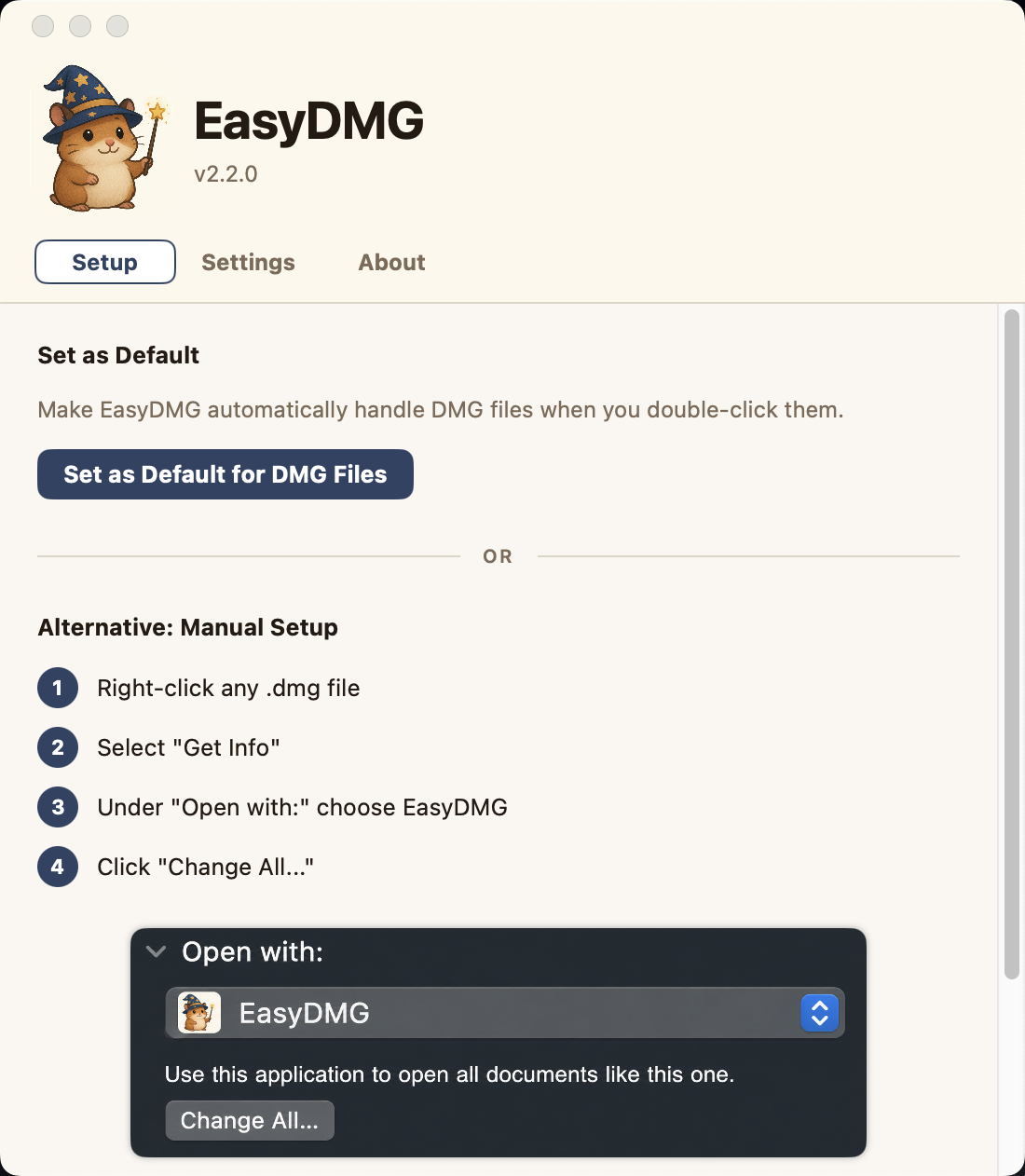
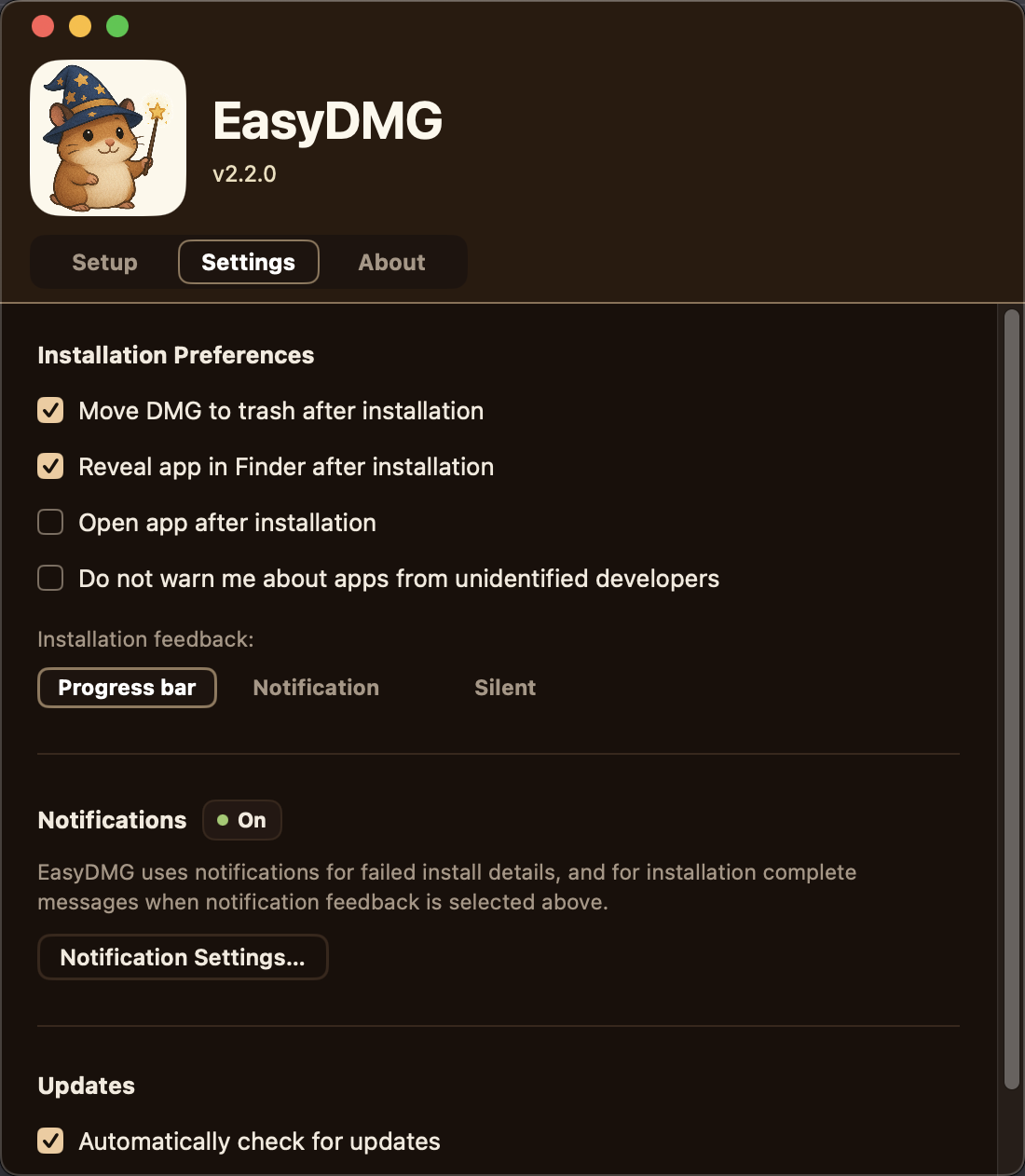
Just does the job. Only network request is checking for updates.

Signed by an Apple Developer ID and notarized by Apple, so macOS
trusts it the moment you open it.
It's distributed outside the App
Store because Apple's sandbox rules don't allow certain functions EasyDMG needs. But
it's held to the same security bar.

When installing a new app via EasyDMG, it performs the same security checks that Apple Gatekeeper does.
It'll warn you if
an app looks like malware, but most of the time, you get to skip the annoying extra hoops that Apple makes you jump through -
going to System Settings -> Privacy & Security and letting them know yes, you actually want to use the app you downloaded.

No analytics, no crash reporters, no third parties. Except Sparkle, the lovely auto-updater. Settings and
logs live on your machine. Check out the Privacy Policy.
Built with Swift - fast & lightweight.
Recent releases, pulled from the EasyDMG GitHub repo.
Loading recent releases...
EasyDMG is GPL-3.0 for open-source use, with a commercial license available. Check out Github to file an issue, send a PR, or just look around. If it saves you enough drag-and-drops, you can give the Loch Ness Monster about tree fiddy (he keeps asking) or leave a star on Github.

The stuff people ask before downloading — and a couple they don't, but should.
EasyDMG applies the same security checks that macOS does when installing new apps, so it's pretty safe. But you should still be careful what you download and run on your machine. See the security doc for the full breakdown.
Heck no. The last thing we need is more menu bar icons, dock icons, and background tasks. Once you set EasyDMG as your default for opening DMGs, it launches when you open one, the hamster wizard gets to work for a couple seconds, and then it closes itself.
Open the app any time from /Applications, just like
any other app. That brings up the beautifully designed Settings
window where you can tweak things to your liking.
Yes. If you already have an older version of the app in your
/Applications folder, EasyDMG will replace it with
the new version when you install via DMG.
To mount disk images, inspect their contents, and move apps
into /Applications on your behalf, EasyDMG needs
system capabilities that violate Apple's strict App Store
sandboxing rules. It is, however, fully code-signed and
notarized directly by Apple — so it runs without security
warnings.
I like free stuff, I figured you would too. It will always be open source, but downloading pre-bundled releases may not always be free. Get while the getting is good.
I use EasyDMG myself, so I'm invested in keeping it running smoothly. The best case is Apple makes their native installer less tedious and this app becomes obsolete. Until then I plan to maintain it for the foreseeable future — though I could reach enlightenment and move to Nepal, or get hit by a bus. It's open source, so hopefully it lives on regardless.
If you've never used Terminal or don't know what Homebrew is, then yes. If you love Homebrew, EasyDMG makes a nice companion for installing the random indie apps that aren't on it. If you're brewing up a storm and haven't mounted a disk image in the last year, this probably isn't for you.
Yes. EasyDMG is code-signed and notarized, which means Apple has checked it for malware. But I'm glad you're asking — always be careful what you download. You can run it through VirusTotal, which is pretty reliable for catching malware. And because it's open source, you can point an LLM at the GitHub repo and get an unbiased security assessment even with no coding experience. If you spot something whacky, you can contribute a fix.
I truly don't know. Maybe he cast a spell on me.
Try to enjoy this drag-n-drop install. It may be the last time you perform this obnoxious task :)